
GitHub Blog 댓글 설정 - Utterances를 이용한 Jekyll 댓글 시스템
Jekyll 블로그에 댓글 기능을 추가하고 싶다면,
GitHub의 이슈 기능을 활용하는 Utterances가 가장 간단하면서도 강력한 선택입니다.
이 글에서는 minimal-mistakes 테마를 기준으로,
Utterances 댓글 시스템을 설정하고 _config.yml과 블로그 포스트에 적용하는 방법을 설명합니다.
1. GitHub 저장소 설정
Utterances는 댓글을 저장할 issue 기반 저장소가 필요합니다.
- 예:
your-username/your-blog-repo - 이 저장소의 issue 탭이 열려 있어야 함
- 댓글 저장용 저장소는 블로그 repo와 동일하게 해도 되고, 별도
repo를 만들어도 됨.
2. Utterances 앱 설치
https://utteranc.es/ 접속 후 아래 순서대로 진행:
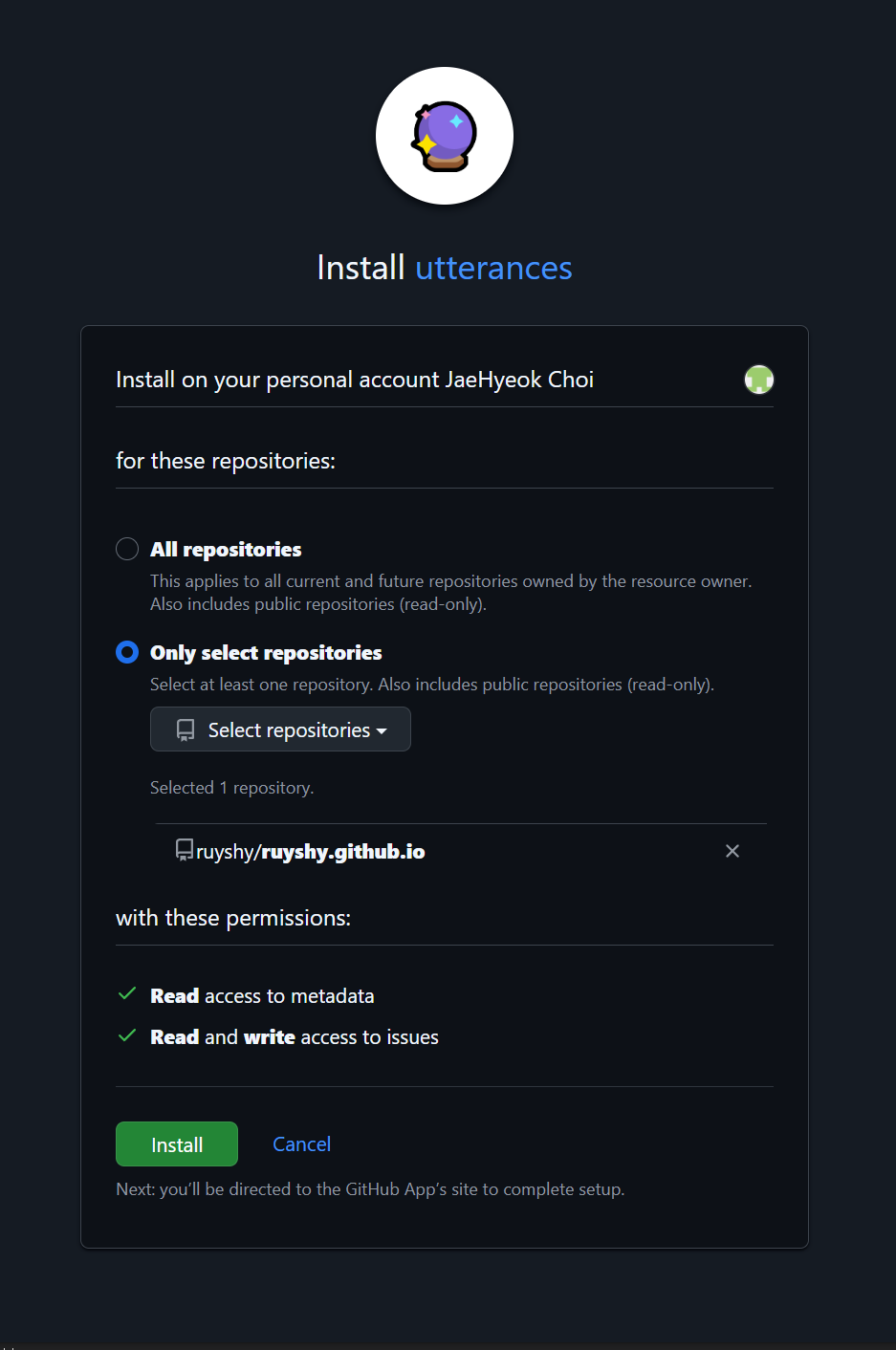
- Install Utterances 클릭 : https://github.com/apps/utterances
[https://www.notion.so](https://www.notion.so)
위와 같이 Only select repositories 선택 → 설치할 저장소 선택
3. _config.yml 수정
Jekyll 블로그에서 Utterances는 보통 post.html 같은 레이아웃 파일에 삽입함.
이전에 minimal-mistakes 테마 사용하고 있을 때 아래와 같이 수정을 진행합니다.
#Site Settings 부분:
# Site Settings
locale: "ko-KR"
rtl: # true, false (default) # turns direction of the page into right to left for RTL languages
title: "ruyshy blog"
title_separator: "-"
subtitle: # site tagline that appears below site title in masthead
name: "Jaehyeok Choi"
description: ""
url: "https://ruyshy.github.io"
baseurl: ""
repository: "ruyshy/ruyshy.github.io"
teaser: # path of fallback teaser image, e.g. "/assets/images/500x300.png"
logo: # path of logo image to display in the masthead, e.g. "/assets/images/88x88.png"
masthead_title: # overrides the website title displayed in the masthead, use " " for no title
breadcrumbs: # true, false (default)
words_per_minute: 200
enable_copy_code_button: # true, false (default)
copyright: # "copyright" name, defaults to site.title
copyright_url: # "copyright" URL, defaults to site.url
comments:
  provider: "utterances" # false (default), "disqus", "discourse", "facebook", "staticman", "staticman_v2", "utterances", "giscus", "custom"
  disqus:
    shortname: # https://help.disqus.com/customer/portal/articles/466208-what-s-a-shortname-
  discourse:
    server: # https://meta.discourse.org/t/embedding-discourse-comments-via-javascript/31963 , e.g.: meta.discourse.org
  facebook:
    # https://developers.facebook.com/docs/plugins/comments
    appid:
    num_posts: # 5 (default)
    colorscheme: # "light" (default), "dark"
  utterances:
    theme: "github-dark"
    issue_term: "pathname"
    label: "comment"
    repo: "ruyshy/ruyshy.github.io"
주요 옵션:
repo: 댓글을 저장할 GitHubrepo(예:ruyshy2/ruyshy2.github.io)issue-term: 댓글을 연결할 기준 (pathname,url,title,og:title등)theme: 댓글창 테마 (github-light,github-dark,preferred-color-scheme, etc)
defaults:
defaults:
  - scope:
      path: ""
      type: posts
    values:
      layout: single
      author_profile: true
      comments: true
      share: true
      related: true
      sidebar:
        nav: "main"
저는 comments: 부분을 이렇게 설정을 진행했습니다.
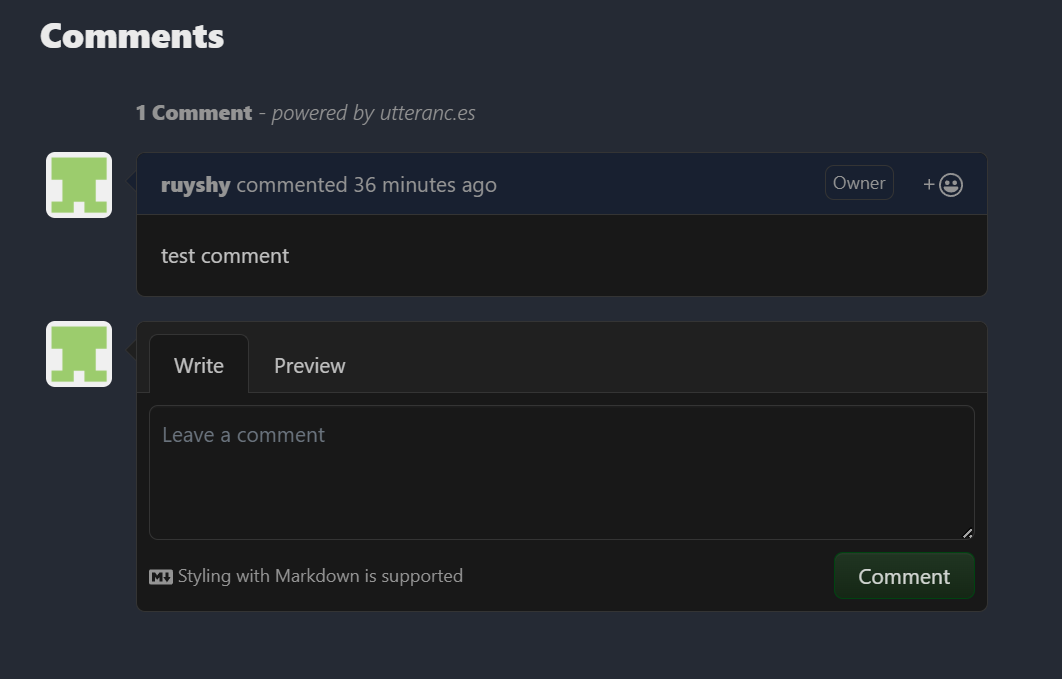
위 처럼 블로그에서 test comment를 작성 했을 때,

해당 저장소 Issues에 생성을 확인할 수 있습니다.
Leave a comment